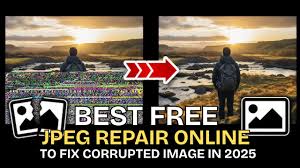
Digital images have become an integral part of our personal and professional lives. However, you may sometimes encounter issues when these images become corrupted or broken. Whether it’s your cherished memories, work presentations, or creative content, such distortion or corruption can ruin your image-viewing experience. There are various reasons, such as improper file transfers, storage device issues, malware attacks, or software glitches, why your image may get corrupted.
Fortunately, several methods are available online that you can use for photo repair. This 2026 guide walks you through practical, quick ways to fix broken or corrupted images. Let’s get started!
What Does a Corrupted Image Look Like?
When an image becomes corrupted, it often shows noticeable symptoms. Recognising these signs helps you choose effective repair methods and prevent future issues. Common indicators include:
- The image won’t open in any photo viewer
- You may get error messages such as “unsupported file format”
- Distorted visuals, strange colours, or pixelation
- Only a few parts of the image are visible
- File size appears unusually small or large
If you’re seeing any of these, the file is likely corrupted—but not necessarily lost forever.
Common Reasons for Image Corruption
Understanding the exact reasons for your image corruption can help you choose the right fixes. Here are some main reasons why your image gets corrupted or broken:
- Interrupted File Transfer: Removing a USB drive or SD card during file transfer can interrupt data writing, resulting in incomplete or corrupted image files.
- Virus or Malware Attacks: Malicious programs like viruses or malware can modify, encrypt, or damage image files, leading to corruption, unusual behaviour, or complete inaccessibility of photos.
- Software Crashes: If an image editing application crashes while saving, the file may not save properly, causing partial data loss or corruption.
- File System Issues: Improper shutdowns or operating system errors can damage the file system, affecting stored images and making them corrupted or inaccessible.
How do I Fix Corrupted Images? [Quick Methods]
Now that you’re familiar with the reasons and symptoms of your broken or corrupted images, it’s time to apply adequate repair workarounds. Here are quick and easy methods that can fix corrupted images quickly:
Method 01: Open the Image in a Different Viewer
Sometimes, the problem is not with your image – it’s your image viewer app that causes the problem when opening the photos. In such cases, you can try opening the file using different applications such as:
- Microsoft Photos
- Adobe Photoshop
- GIMP, etc.
Different programs use different decoding methods, so one may succeed where another fails.
Method 02: Convert the Image Format
Changing the file format can often resolve minor corruption issues. For example, you can convert your JPEG file to PNG or BMP to check if it is working fine. Follow the below steps to convert your image file format:
- Firstly, right-click on the photo that you need to convert.
- Select Open with, and then choose the Paint app.
- Go to File > Save As.
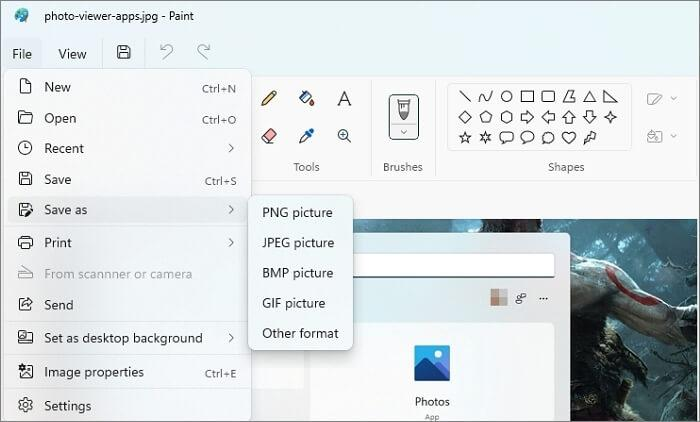
- Choose a different file format like: JPEG (.jpg), PNG (.png), BMP (.bmp), GIF (.gif).
- Click Save to save the converted file back to your PC.
Note: You can even use online photo converters to change your image file format.
Method 03: Use Built-in Repair Options
Some tools offer built-in repair options that you can use to fix corruption or distortion in your JPEG images. For example:
- Adobe Photoshop may partially open damaged files and allow re-saving
- Windows tools like CHKDSK can fix file system errors affecting images
Method 04: Re-download or Re-transfer the Image
If you’ve downloaded the image from the internet or another device, try re-downloading it from the source. Ensure that the transfer process completes fully without disconnecting the USB drive, SD card, or network connection.
Interruptions during copying or downloading often lead to incomplete file data, which results in broken or unreadable images. Using reliable transfer methods and verifying the file after transfer can significantly reduce the chances of corruption and ensure the image opens correctly.
Method 05: Repair Corrupted Images Using Online Photo Repair Software
Instances may happen when the above photo repair methods fail to provide you with the desired result. In such cases, you can use third-party online photo repair such as Stellar Repair for Photo Online to fix your broken or corrupted images. These tools support repairing your images damaged due to several reasons like broken headers, pixel distortion, greyed-out areas, or images that won’t open at all.
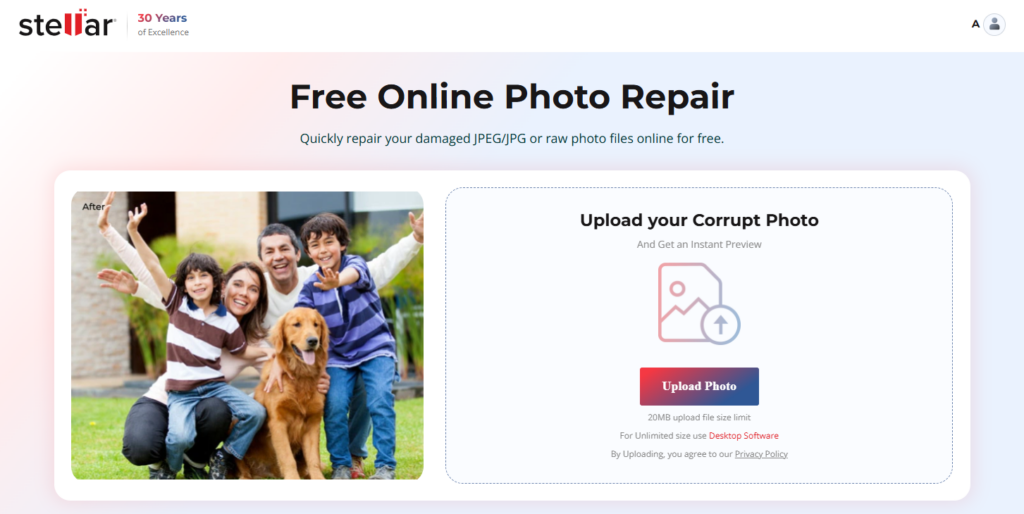
An online photo repair tool is basically browser-based, i.e., you can use it to repair damaged or corrupted images directly from your web browser – without any third-party tool installation. You can use these software tools to fix commonly used formats such as JPEG, JPG, PNG, and sometimes RAW files. Additionally, many online tools support repairing multiple images at once, which is helpful when dealing with bulk corruption.
Tips to Prevent Image Corruption
Prevention is better than cure. Here are some additional tips that you can consider to avoid such image corruption issues from your end:
- Always eject USB drives or external storage safely before removal to prevent data corruption and ensure files are properly written.
- Install and regularly update trusted antivirus software to protect your system and image files from malware and potential corruption risks.
- Regularly update your device OS and installed apps to fix bugs, improve stability, and reduce the chances of file corruption issues.
- Always use reliable, high-quality storage devices to minimise risks of bad sectors, data loss, and image corruption over time.
Wrapping Up
Having a corrupted image file can be distressing, especially if it holds valuable memories. If you’re having any broken or corrupted image files, it’s important to immediately proceed with adequate repair fixes. From simple tricks like changing file formats to advanced online photo repair software, there are multiple ways to recover your photos. Start with basic methods and move toward professional tools if needed.
The key is to act quickly and avoid further damage. With the right approach, you can often recover even severely corrupted images and preserve your valuable memories or work files.