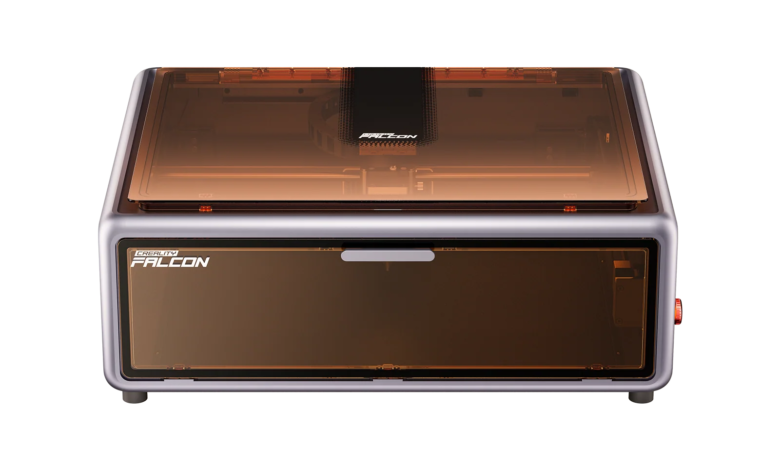
Why Choose a Home-Friendly Laser Cutter
A home-friendly laser cutter keeps the footprint, noise, and ventilation needs manageable so a garage, shed, or corner of the dining room can double as a workshop. Unlike industrial CO₂ systems that require professional ventilation and larger space, home laser cutters are designed with compact work areas, enclosed structures, and lower noise levels.
These machines are typically louder than a desktop printer but quieter than heavy-duty workshop tools. Makers working on wood signage, acrylic jewelry, or leather patches benefit from intuitive controls, preset materials, and built-in safety features such as flame detection.
Matching cutter capabilities to your project needs—such as engraving wood signs or cutting thin acrylic—ensures you invest in a machine suited for regular use rather than overpaying for industrial-level performance you may not need.
Core Specs to Evaluate for Home Use
For most home users, laser power between 10W and 40W (diode) or 40W–80W (CO₂) provides a practical balance.
- 10W–20W diode: engraving and light cutting
- 20W diode (e.g., Falcon A1 Pro): balanced for home projects
- 40W+ CO₂: better for thicker acrylic and wood
Bed Size
A working area around 300×300mm to 500×500mm is ideal for home use:
- Smaller beds → hobby use
- Larger beds → batch production
Software Compatibility
A good home laser cutter should support:
- SVG / DXF / PDF formats
- LightBurn
- LaserGRBL
Compatibility ensures smoother workflow from design to production.
Build Quality
Look for:
- Metal frame construction
- Stable motion system
- Firmware update support
These factors improve cutting precision and long-term durability.
Comparing Popular Home Laser Cutters
| Model | Laser Type | Power / Bed | Highlight |
| Creality Falcon A1 Pro | Diode | 20W, compact enclosed | Beginner-friendly, safe design |
| xTool P2 | CO₂ | 55W, 600×308mm | High precision, camera system |
| Snapmaker Artisan | Multi-function | 10W laser module | 3-in-1 (CNC + 3D + laser) |
| Glowforge Plus | CO₂ | 40W, 500×280mm | Cloud workflow, easy setup |
Comparing these options helps clarify where price and capability meet. CO₂ machines excel at cutting thicker materials, while diode machines are more compact, affordable, and beginner-friendly.
Creality Falcon Best-Fit Pick
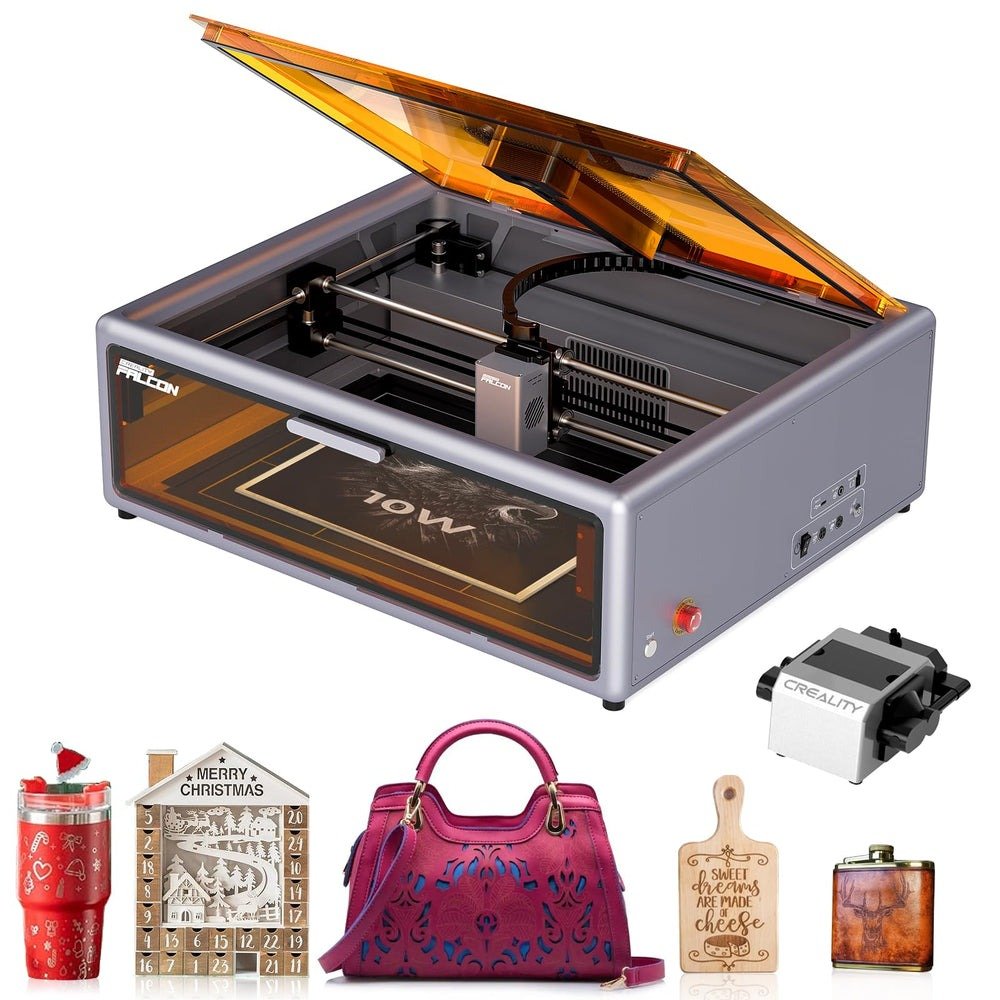
The Creality Falcon A1 Pro offers a balanced solution for home users who prioritize safety, simplicity, and practical performance.
With a 20W diode laser, it is well-suited for:
- Wood engraving and cutting
- Acrylic projects (thin sheets)
- Leather customization
Its fully enclosed design improves safety for indoor use, while features like auto-focus and simplified controls reduce the learning curve for beginners.
Compared with larger open-frame machines, the A1 Pro focuses on usability and convenience, making it a strong option for hobbyists and small-scale creators.
Safety, Ventilation, and Maintenance Tips
Proper ventilation is essential when using any laser cutter at home.
- Use window exhaust or inline duct fan
- Consider carbon filters for indoor use
- Avoid cutting unknown or toxic materials
Safety essentials:
- Laser safety glasses (for diode: ~450nm wavelength)
- Fire extinguisher (Class B recommended)
- Never leave the machine unattended
Routine maintenance:
- Clean lenses regularly
- Check belts and rails
- Ensure airflow system is functioning
Material Compatibility and Project Ideas
Diode laser cutters can handle:
- Wood (plywood, MDF)
- Acrylic (dark or coated)
- Leather
- Paper and cardboard
Typical projects include:
- Wooden signs
- Acrylic keychains
- Leather wallets
- Custom gifts and branding items
Start with simple projects to understand material behavior before scaling up.
Budgeting and Value-Adding Accessories
Typical pricing:
- Entry-level diode: $700+
- Mid-range (like A1 Pro): $800–$1,200
- CO₂ machines: $1,500–$3,000+
Useful accessories:
- Air assist → cleaner cuts
- Honeycomb bed → better airflow
- Rotary attachment → cylindrical engraving
- Camera system → improved alignment
Choose accessories based on actual usage frequency to control costs.
FAQs and Troubleshooting for Home Users
Do you need a dedicated space?
Yes, a stable and ventilated area is recommended.
Is an air purifier necessary?
Not mandatory, but helpful if direct ventilation is limited.
Why are cuts inconsistent?
Check focus, alignment, and material positioning.
Software connection issues?
Restart device, switch USB/Wi-Fi, and update drivers.
Final Thoughts
Choosing the best laser cutter for home use comes down to balancing performance, safety, and usability.
For most home users, a compact and enclosed diode machine like the Creality Falcon A1 Pro offers an ideal starting point. It provides enough power for common projects while keeping setup simple and safe.
READ ALSO: Forza Horizon 5 Credits: A Complete Guide to Earning and Spending Smart