Why Does Your iPhone Say “No Location Found”? Simple Reasons and Easy Fixes

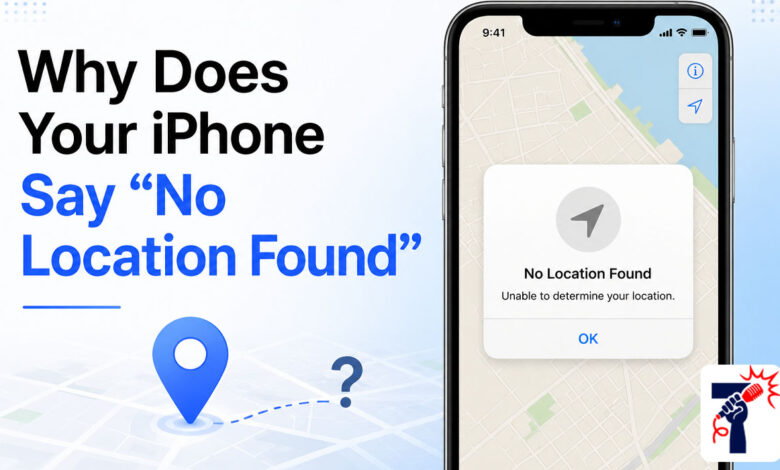
No Location Found on iPhone is one of the most confusing messages people see in the Find My app. You open the app to check on a family member or find your own device, and instead of a map pin, you see those three words staring back at you. It feels alarming, but in most cases, it is not something serious. This message simply means that your iPhone could not get location data at that moment. Understanding why it happens is the first step to fixing it.
What Does “No Location Found” Actually Mean?
When your iPhone shows “No Location Found,” it means the Find My app tried to get the location of a person or device but could not. The system looked for GPS data, a Wi-Fi signal, or a cell connection but came back empty. It does not always mean the other person blocked you or turned off location sharing on purpose.
This message shows up in a few places. You might see it in the Find My app next to a friend’s name, below a contact’s name in iMessage, or on a contact card. All three situations point to the same problem: the device is not sending location data right now.
“No Location Found” vs. “Location Not Available”: What Is the Difference?
These two messages look similar, but they mean different things. “No Location Found” means the system could not get any location data at all. There was a technical problem on either end, like a lost signal, a dead battery, or a software issue.
“Location Not Available” means something different. It means the device knows its location, but it is not sharing it with you. This often happens when someone turns off location sharing for a specific person or disables it for the Find My app entirely. Knowing which message you see helps you figure out the right fix.
Common Reasons Why This Error Appears
There are several reasons your iPhone might show this message. Here are the most common ones:
1. The Device Is Turned Off or Has No Battery When a phone runs out of battery or gets turned off, it stops sending location data. The Find My app has nothing to display, so it shows “No Location Found” until the device comes back online.
2. Airplane Mode Is On Airplane Mode cuts off all wireless connections, including GPS and cellular data. A device in Airplane Mode cannot send or receive location information, which triggers this error.
3. Location Services Are Disabled If someone turns off Location Services in their iPhone settings, no app can access their location, including Find My. The setting can be turned off for all apps or just for Find My specifically.
4. Poor or No Internet Connection Find My needs an internet connection to send and receive location data. If the device is in an area with no Wi-Fi or cellular signal, the location cannot update.
5. Incorrect Date and Time Settings This one surprises many people. If your iPhone’s date and time do not match Apple’s servers, location services can stop working correctly. Setting the date and time to update automatically usually fixes this.
6. Outdated iOS Software An old version of iOS can have bugs that affect how location data works. Keeping your iPhone updated helps avoid these kinds of issues.
How to Fix “No Location Found” on iPhone
Most of the time, you can fix this problem with a few simple steps. Here is what to try.
Check Your Internet Connection Make sure your iPhone is connected to Wi-Fi or has a working cellular signal. Open Safari and load a website to test your connection. If the internet is not working, fix that first before trying anything else.
Turn Location Services On Go to Settings, then Privacy and Security, then Location Services. Make sure the toggle is on. Also scroll down to find the Find My app and make sure it is set to “While Using” or “Always.”
Update iOS Go to Settings, then General, then Software Update. If there is an update available, install it. Updates often include fixes for location-related bugs.
Fix the Date and Time Go to Settings, then General, then Date and Time. Turn on “Set Automatically.” This makes sure your iPhone always uses the correct time, which is important for location services to work.
Restart the Find My App Sometimes the app just needs a fresh start. Swipe it closed and reopen it. If that does not help, restart your iPhone too.
Ask the Other Person to Check Their Settings If you are trying to find a friend or family member’s location, ask them to check their Location Services and make sure they have sharing turned on for you. They might not even know something changed.
When Should You Be Concerned?
In most cases, “No Location Found” is a temporary, technical issue. However, there are times when it could mean something more. If you are trying to locate a child or elderly family member and the message stays for a long time, it is worth calling them directly to check in.
If a device has been lost or stolen, the message might mean the battery died or someone turned the phone off. In that case, you can use the Find My app to set up a notification that alerts you the next time the device comes back online.
Conclusion
Seeing “No Location Found” on your iPhone is almost always a fixable problem. It usually comes down to a lost connection, a disabled setting, or a low battery. By checking Location Services, your internet connection, and your iOS version, you can solve the issue in just a few minutes. If the problem keeps coming back, a simple restart or a date and time fix usually does the trick.
Frequently Asked Questions (FAQs)
Q1: Does “No Location Found” mean someone blocked me?
Not necessarily. It usually means the device has a connection issue or location services are off. Blocking someone does not produce this specific message.
Q2: Will I get a notification when the location comes back?
Yes. In the Find My app, you can set up notifications to alert you when a device or person’s location becomes available again.
Q3: Can “No Location Found” happen even with a good signal?
Yes. Even with a strong signal, incorrect date and time settings or a software bug can cause this error.
Q4: How long does “No Location Found” usually last?
It depends on the cause. If the device is just temporarily offline, the message goes away once it reconnects. If a setting is turned off, it stays until someone fixes it.
Q5: Does Low Power Mode cause “No Location Found”?
Yes, it can. When an iPhone goes into Low Power Mode, it reduces background activity, which can include location updates. Charging the device usually brings location sharing back.
See more amazing Information visit Fact News