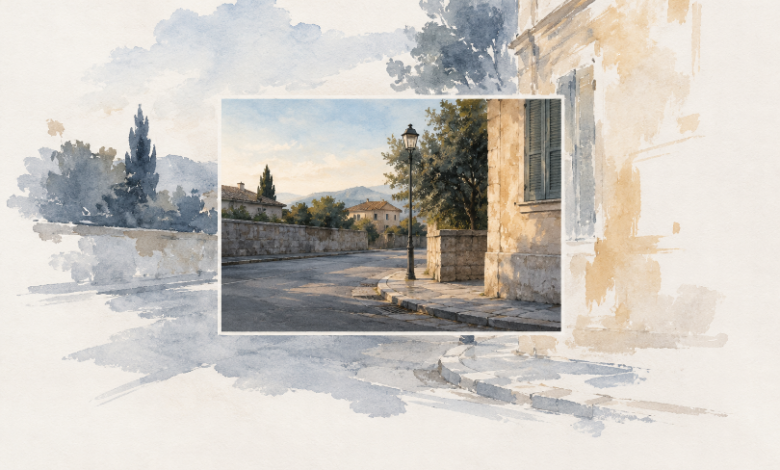
A tightly framed photograph circulates online. Someone asks what was just outside the picture, and a wider version appears soon afterward. The extra space looks plausible: more pavement, another building, perhaps a few people at the edge. Before treating it as an answer, an editor needs to know where those additional pixels came from.
A larger canvas can solve a layout problem. It cannot, by itself, answer a reporting question about what the camera captured. Comparing an original photograph, a crop, and a generated extension helps keep those two uses of a wider image separate.
Identify the Question the Missing Edge Is Supposed to Answer
Begin with the claim under discussion. Does the article need to establish how many people were present, whether an object stood beside the subject, or what happened beyond the visible frame? If the answer depends on unseen territory, the existing image does not contain enough information. A visually convincing addition does not change that fact.
There may be a wider source file from the photographer, another frame from the same event, or independent material that answers the question. Seek that evidence through the normal reporting process. Keep its provenance with the file so the newsroom can distinguish a recovered original from an image that has merely acquired wider dimensions.
PicEditor AI includes an image extender for expanding a picture beyond its original boundaries. That is a creative editing function. It can help an illustration fit a new format, but the additional scene is not recovered camera coverage. An editor evaluating a news claim needs to keep that distinction visible throughout the production process.
The reason for requesting width should therefore travel with the brief. “Provide space for a headline” is a design request. “Show whether someone stood to the left” is an evidence request. Sending both to the same editing queue without explanation invites a tool to solve the wrong problem very convincingly.
Compare the Original the Crop and the Extension
Place the available versions beside one another and identify the captured boundary. A crop removes information from a source. An authentic uncropped file can restore access to that captured information. A generated extension adds an imagined continuation. Those operations may all produce a wider-looking composition, but they have different relationships to the event.
An AI Photo Editor belongs in the creative branch of that comparison. Use it when the assignment permits an illustration or a visibly interpretive treatment. Do not use the output to settle a dispute about the unseen edge of a documentary photograph. The quality of the added pavement or architecture is irrelevant to whether it was photographed.
A simple comparison table can keep the distinction clear when several people handle the files. It should describe the source of the visible area, not rank the versions by attractiveness.
| Version | What the extra view can establish |
| Crop from a verified source | Only the retained portion of the captured scene; omitted context may still matter. |
| Verified uncropped original | Additional scene information actually present in that source file. |
| Generated extension | A possible visual continuation for creative use, not evidence of the unseen event. |
PicEditor AI can provide an extended creative candidate while the original stays untouched in the reporting folder. Name the working copy so its role is clear. A file called “full version” is a poor choice for an extension because it implies that previously hidden photographic information has been recovered.
Trace Every Disputed Detail to a Captured Source
When a detail matters to the article, ask which source contains it. A person near the edge, a sign behind the subject, or an opening in a wall may affect interpretation. If that detail exists only in the generated region, it cannot support the factual statement being considered.
This check also applies when an extension changes the meaning of the central subject without adding anything dramatic. Extra empty space can make a gathering appear sparse. Repeated buildings can imply a longer street. A plausible environment can subtly suggest a different setting. The issue is the reader’s inference, not merely whether an obvious invented object appears.
A photo edit prepared for an illustrative layout should be reviewed for those implications. If the composition encourages a factual conclusion the sources do not support, choose a different treatment. A small label may identify the image as illustrative while leaving its central suggestion misleading.
Consider a hypothetical photograph of a speaker at a small public gathering. Extending the frame with an imagined crowd does more than create room for a headline. It supplies an apparent audience. Extending it with an empty square can imply the opposite. Neither addition answers how many people attended, even if one happens to resemble what actually occurred.
An AI Photo Editor can still be useful for a clearly non-documentary graphic about the topic. The safer brief starts from an illustrative idea that does not resemble additional coverage of the disputed moment. The editorial team can then assess the graphic on its explanatory purpose while keeping the photograph available as a separate source.
When PicEditor AI is used for an illustrative extension, keep a copy showing the original boundary in the internal handoff. The published treatment may have a different design, but the next editor needs to know which area was added. A photo edit can otherwise lose its history as it passes through a layout file and a social export. Do not treat image dimensions alone as that history: a larger file could have been resized, uncropped from a source, or extended. The relevant record is the source and the operation, not just the pixel count.
Review the caption and headline together with the chosen image. Even an authentic crop can be misleading when its accompanying text overstates what it shows. The image review and the wording review need the same factual question. Otherwise, the desk may reject an invented edge while retaining a claim that already depended on it.
Keep the versions distinguishable after export. A colleague preparing a newsletter or social card may not have attended the original discussion. Include the creative status in the asset record and supply an approved version for that placement. Do not rely on a temporary working-folder arrangement that disappears when the file is copied.
The same care applies to a before-and-after comparison. Label the operation, not just the sequence. “Before” and “after” explain chronology but say nothing about whether the second file contains reconstructed surroundings. Readers should not have to infer the editing method from differences they may be unable to detect.
Choose the Framing the Available Evidence Can Support
Use the verified source when the image carries a factual claim. If the source is too narrow to answer the question, obtain more evidence or narrow the statement. Keep creative extensions in assignments where their invented content serves a clear illustrative purpose.
A layout may look less spacious with the original photograph. That is a manageable design problem. Presenting an imagined margin as recovered evidence creates a different problem, and a wider canvas cannot solve it.