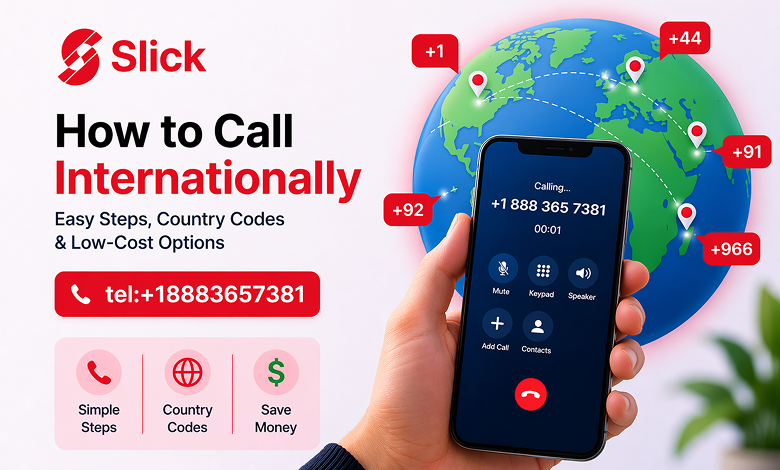
Making an international call may seem confusing at first, but it is actually simple once you know the right steps. You need the correct dialing format, the right country code, and a reliable service that helps you avoid high call charges.
If you are searching for how to call internationally, this guide explains everything in a simple way. You will learn the correct international calling format, common mistakes to avoid, and how Slick helps you make affordable international calls with ease.
Slick offers international calling services designed for people who want a simpler and more cost-effective way to stay connected with family, friends, and business contacts around the world.
What Is an International Call?
An international call is a phone call made from one country to another. Unlike local calls, international calls require a special dialing format so the network knows exactly where to connect your call.
A typical international number includes:
- A plus sign (+) or exit code
- A country code
- An area code if needed
- The local phone number
Using the correct format is important because even one wrong digit can stop the call from connecting.
How to Call Internationally Step by Step
If you want to know how to make an international call, follow these simple steps.
1. Start With the Plus Sign (+)
The easiest way to dial an international number is to start with the plus sign (+). On most smartphones, you can add it by pressing and holding the 0 key.
Example format:
+ [Country Code] [Area Code] [Phone Number]
This is the most common and easiest international dialing format.
2. Enter the Country Code
Every country has its own calling code. This tells your network which country you want to call.
Some common country codes include:
- United States/Canada: +1
- United Kingdom: +44
- Pakistan: +92
- India: +91
- Saudi Arabia: +966
Entering the correct code is essential for the call to go through.
3. Add the Area Code
Some countries require an area or city code before the local phone number. In many cases, the first zero used in local dialing is removed when dialing internationally.
That is why it is always best to check the correct international number format before calling.
4. Dial the Local Phone Number
After entering the country code and area code, add the rest of the local phone number. Double-check the full number before placing the call.
International Calling Example
Here is a simple example.
If a UK number is written locally as:
020 1234 5678
You would dial it internationally as:
+44 20 1234 5678
Notice that the starting zero is removed and replaced with the UK country code. This rule applies to many countries, although formats can vary.
Common Problems When Calling Internationally
Many people face the same issues when making international calls.
Wrong Number Format
A very common mistake is entering the local number exactly as it appears without changing it to international format. Missing the country code or adding an extra zero can cause the call to fail.
High International Calling Rates
Traditional mobile carriers often charge expensive rates for international calls. These costs can become very high if you call abroad regularly.
Hidden Charges
Some providers advertise cheap calls rates but later add extra fees. This makes international calling more expensive than expected.
Poor Call Quality
Weak connectivity or poor routing can lead to dropped calls, bad voice quality, or delays during the conversation.
How to Make International Calling Easier and Cheaper
The easiest way to make international calls is to use a service built specifically for international communication instead of depending only on traditional mobile networks.
A good international calling service should offer:
- Affordable calling rates
- Clear and transparent pricing
- Easy dialing and country code support
- Reliable call quality
- Flexible top-up options
- Access from anywhere with internet
This is where Slick can help.
Why Use Slick for International Calling?
Slick is designed to make international calling easy, affordable, and flexible. It is a practical solution for travelers, remote workers, families living abroad, and anyone who needs to stay connected across countries.
Affordable International Calls
Slick helps users make low-cost international calls without relying on expensive traditional carriers. Users can check calling rates in the app before making a call.
Wide Country Coverage
Slick supports international calling across many destinations worldwide, making it easier to stay connected globally.
Easy App Setup
Getting started with Slick is simple:
- Download the Slick app
- Register with your mobile number
- Verify your account with OTP
- Add credit
- Start calling internationally
Wi-Fi Calling Support
Slick allows users to make calls using Wi-Fi, which can help improve call quality and reduce unnecessary costs.
Transparent Pricing
With Slick, users can review pricing before making a call, helping them avoid hidden charges and manage costs better.
How to Call Internationally Using Slick
If you want an easier way to call abroad, here is how Slick works.
Download the Slick App
Install the app on your smartphone.
Create Your Account
Sign up using your mobile number and complete the OTP verification process.
Add Credit
Top up your account through the app using the available payment methods.
Choose the Country
Select the country you want to call. This helps make sure the correct calling code is used.
Enter the Number and Call
Type the phone number in the correct format and start your call.
Tips to Save Money on International Calls
If you want to reduce your international calling costs, these tips can help.
Use Wi-Fi Whenever Possible
Wi-Fi calling can provide a more stable connection and help reduce extra charges.
Check Rates Before Calling
Always review the country-specific call rates before making a long call.
Save Contacts in International Format
Store numbers with the plus sign and country code so you can call quickly without editing the number every time.
Use a Reliable International Calling App
A dedicated app like Slick is often more affordable and convenient than traditional international calling services.
Best Way to Call Internationally Without Overpaying
If your goal is to make international calls without spending too much, choosing the right service matters. Knowing the correct dialing format is important, but using a trusted international calling platform can make the entire process easier.
Slick gives users a practical solution with affordable rates, app-based calling, flexible top-ups, Wi-Fi support, and a simple user experience.
Conclusion
Learning how to call internationally is easier than it seems. Once you understand the correct format — plus sign, country code, area code, and local number — you can make international calls without confusion.
But using the right service is just as important as using the right format. With Slick, international calling becomes simpler, more affordable, and more convenient. Whether you are calling family, friends, or business contacts abroad, Slick helps you stay connected without the stress of high rates or confusing dialing steps.
FAQs
How do I call internationally from my mobile phone?
To call internationally, dial the plus sign (+), then enter the country code, area code if needed, and the local phone number.
Do I need a country code to make an international call?
Yes, you need the correct country code so your call reaches the right country.
What is the cheapest way to call internationally?
Using an app-based service like Slick is often cheaper than calling through traditional mobile carriers.
Can I use Slick for international calls?
Yes, Slick helps users make affordable international calls through its app.
Can I make international calls on Wi-Fi with Slick?
Yes, Slick supports Wi-Fi calling, which can help improve call quality and reduce costs.
Why should I use Slick for international calling?
Slick offers affordable rates, easy setup, transparent pricing, and a simple way to call internationally.