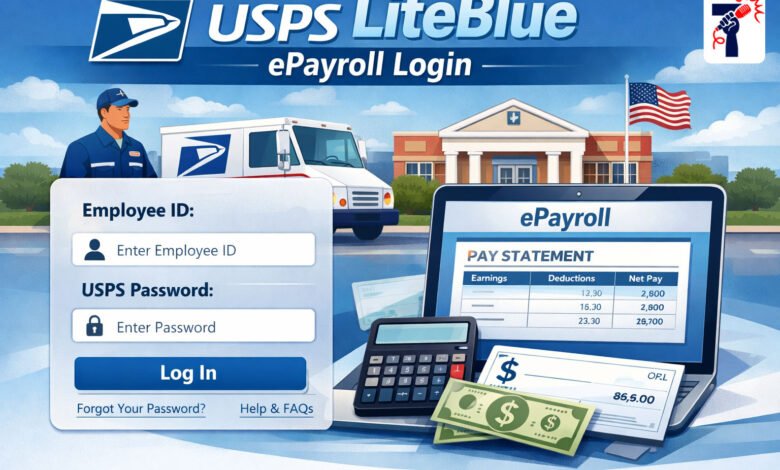
USPS LiteBlue ePayroll Login is an online system that helps postal workers access their payroll information anytime and anywhere. Instead of waiting for paper documents or visiting the HR office, you can now check your pay stubs, download tax forms like W-2s, and see your earnings history with just a few clicks on your computer or smartphone.
What is USPS LiteBlue ePayroll?
USPS LiteBlue ePayroll is part of the official LiteBlue portal for United States Postal Service employees. The system was created to make payroll management easier and faster for over 700,000 postal workers. Instead of waiting for paper paychecks or printed statements to arrive by mail, employees can now view everything they need online within seconds.
The ePayroll section shows you financial information related to your work at USPS. This includes your earnings, the money taken out from your paycheck for taxes and benefits, and records of your time off. The system keeps records of up to 40 different pay periods, which means you can look back at your earnings from almost two years ago. This long record-keeping is especially helpful when you need to provide proof of income for bank loans, apartment applications, or when preparing your taxes.
Key Features of ePayroll
When you log into USPS LiteBlue ePayroll, you will find several important features. Your gross pay shows exactly how much money you earned before any deductions. Your net pay shows the actual amount you take home after taxes and other payments are subtracted. You can see complete details about all deductions, including federal income tax, state income tax, health insurance payments, and retirement contributions.
The system also shows your leave balances, so you can check how many days of vacation time and sick leave you still have available. You can download and save all your documents as PDF files, which is helpful for storing copies on your computer or cloud service. Many employees save their W-2 forms and pay stubs to make tax filing easier when the time comes.
How to Access Your ePayroll Account
Getting into your USPS LiteBlue ePayroll account is straightforward. Visit the official LiteBlue website at www.liteblue.usps.gov using any web browser on your computer or phone. Enter your eight-digit Employee Identification Number and your USPS Self-Service Password. After entering your credentials, you need to complete an extra security step called multifactor authentication. USPS will send you a code through text message, phone call, or an authenticator app on your phone. You enter this code to prove that you are really the person trying to log in.
Once you complete the multifactor authentication, you will see your LiteBlue dashboard. From here, click on the link labeled ePayroll. This will take you to the payroll section where you can see all your earnings and payment information.
What You Can View and Do
After you enter the ePayroll section, you have access to detailed information about your pay and benefits. You can select any specific pay period you want to review. The system shows you a complete breakdown of that paycheck, including how many regular hours you worked and how much overtime you completed.
You can see your gross pay amount and each specific deduction, showing exactly how much money was taken for federal taxes, state taxes, health insurance, and retirement savings. The net pay amount shows the final money you received in your bank account after all deductions. You can print your pay stubs directly from ePayroll and save them as PDF files. The system allows you to download your W-2 tax form, which you need every year for filing your taxes. You can also update your direct deposit information if you change banks.
Security and Protecting Your Information
USPS takes the security of your payroll information very seriously. The ePayroll system uses HTTPS encryption, which is the same high-level security that banks use to protect their customers. The system also requires multifactor authentication before you can log in. This means that even if someone learned your password, they still could not access your account without having access to your phone or email.
To keep your account safe, never share your password with anyone. Always make sure you are visiting the official website at www.liteblue.usps.gov and not a fake website. If you notice anything suspicious about your account, immediately change your password and contact USPS HR for help.
Solving Common Problems
If you cannot remember your password, click on the Forgot Password link on the login page and follow the instructions. USPS will verify your identity before allowing you to change your password. If you are certain your password is correct but still cannot log in, try clearing your browser cache. You can also try using a different web browser like Google Chrome or Microsoft Edge. If problems continue, call the USPS HR Shared Service Center at 1-800-275-8777 for professional help.
Best Practices for Your Account
Check your ePayroll account regularly, ideally every time you receive a paycheck. This helps you catch any mistakes quickly and verify that your pay is correct. Create a folder on your computer or in cloud storage like Google Drive to store your pay stubs and W-2 forms. This organized approach means you will have all your financial information in one safe place when tax season arrives.
Use a strong password that includes letters, numbers, and special characters. If you share your computer with family members, make sure you log out completely when you are finished. This simple step prevents other people from accessing your payroll information.
Conclusion
USPS LiteBlue ePayroll Login gives postal workers 24/7 access to their earning information, tax documents, and payroll history. Whether you are new to USPS or have worked there for many years, learning to use ePayroll properly can save you hours of effort throughout your career. The system is free, secure, and available whenever you need it, making it one of the most valuable tools available to USPS employees.
Frequently Asked Questions
1. How often is pay information posted on ePayroll?
USPS typically posts payroll information every other Friday, which is when most postal workers receive their paychecks. The information remains available for up to 40 pay periods.
2. Can I access ePayroll on my phone?
Yes, you can use your phone or tablet to access USPS LiteBlue ePayroll. Just visit www.liteblue.usps.gov in your mobile web browser and log in with your employee number and password.
3. What do I do if I forget my password?
Click the Forgot Password link on the login page and follow the instructions. USPS will verify your identity before allowing you to create a new password.
4. Can I download my W-2 from ePayroll?
Yes, you can download your W-2 form directly from ePayroll and save it as a PDF file. This is faster than waiting for the paper version to arrive by mail.
5. Is ePayroll secure?
Yes, ePayroll is safe. It uses HTTPS encryption and requires multifactor authentication. Always visit the official website and never share your password with anyone.
See more amazing Information visit Fact News